
Understand money.
Not just numbers.
For young adults learning to manage their own money, and the family or supporters helping them. Daily Tools turns income, spending and saving into simple, visual steps that make sense.
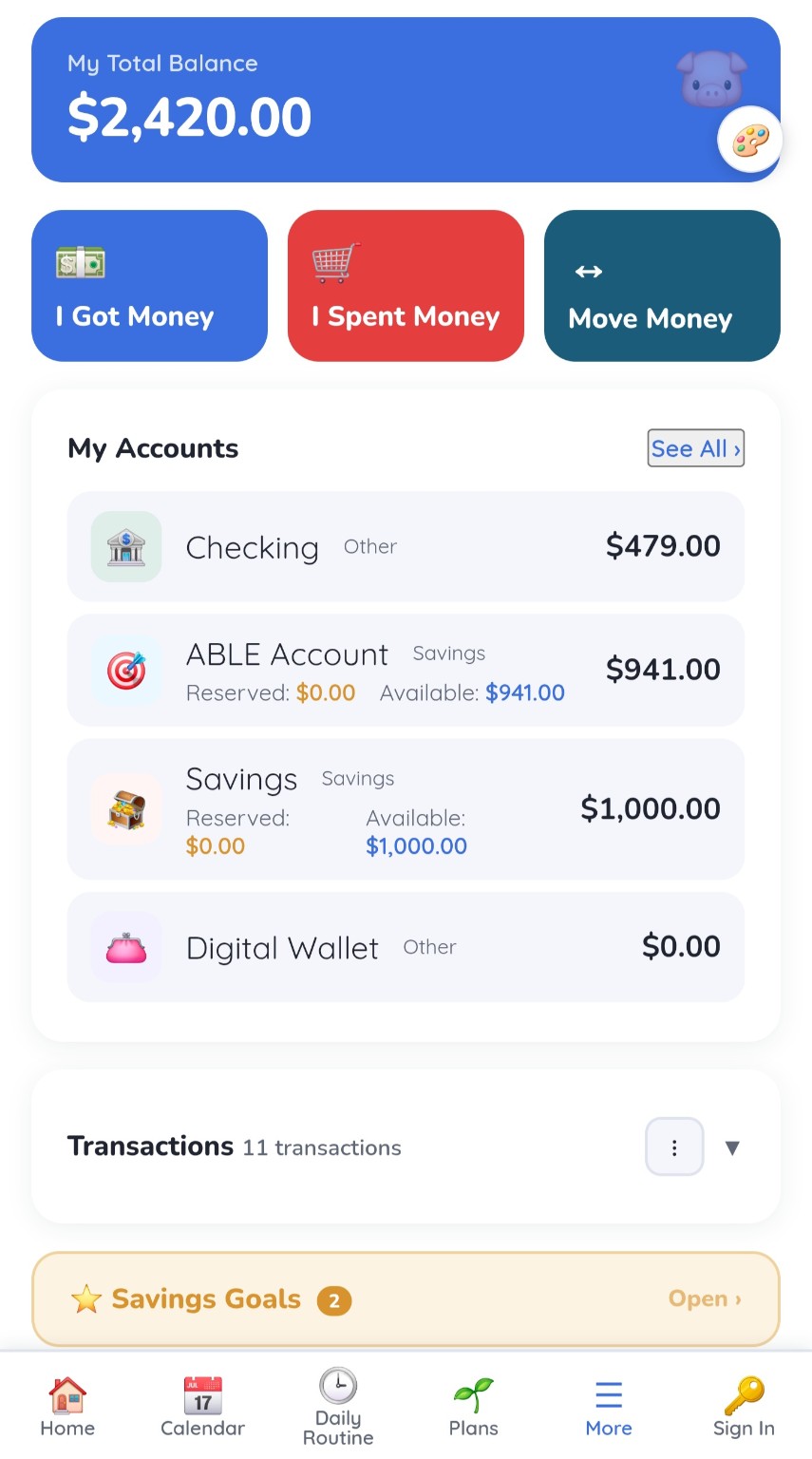
Start with the words people actually use.
No accounting terms. The main money screen asks three questions anyone can answer.
Record pay, allowance or a gift as it comes in.
Record what was bought and pick a category, so spending has a story.
Move money between accounts, like from checking into savings.
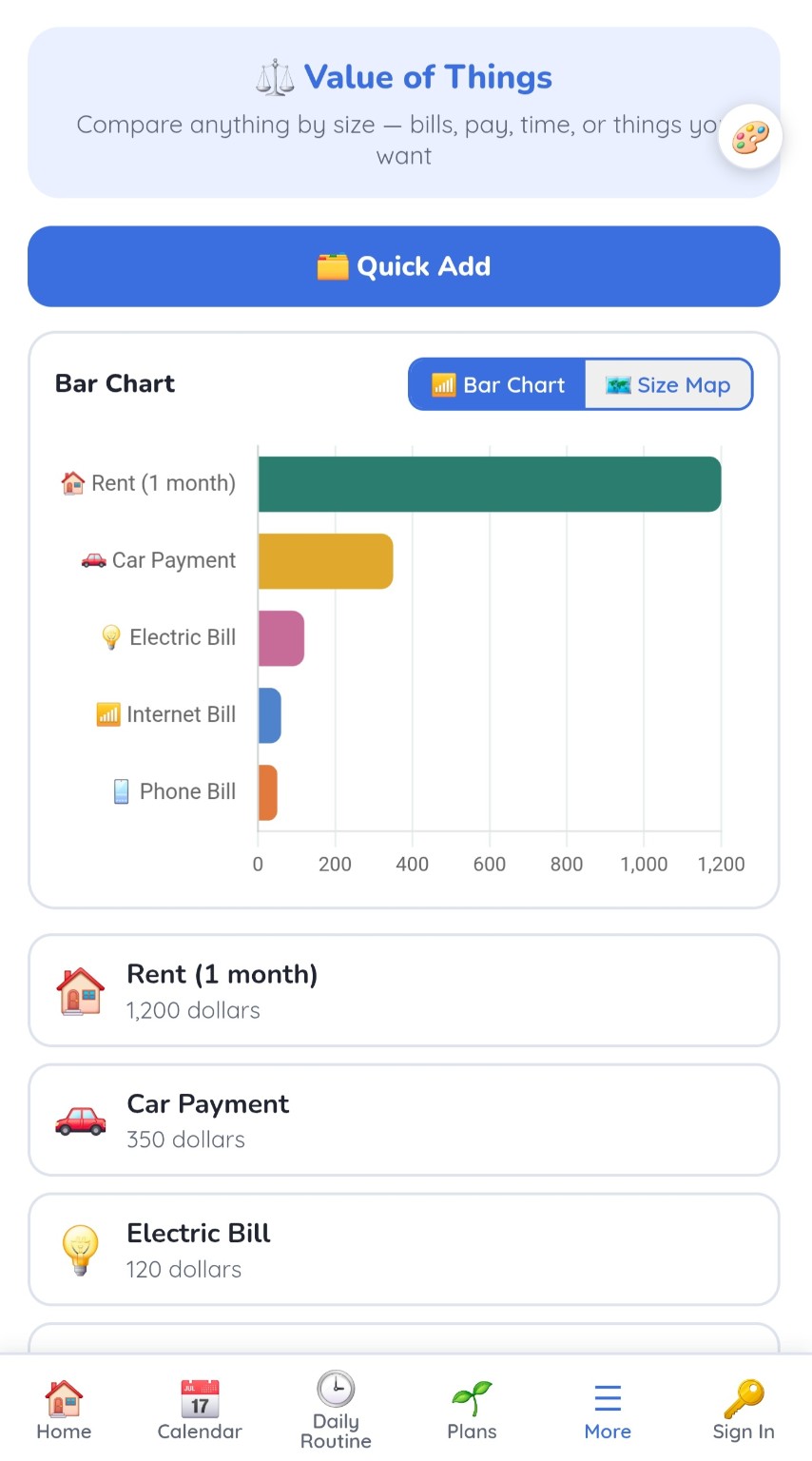
$1,200 rent is not just a number.
Many people can read a price but cannot feel how big it is. Value of Things compares anything by size, so the difference between rent and a phone bill becomes something you can see.
Two visual ways to compare bills, pay, time or things someone wants.
Add common items in a tap and compare them right away.
A supporter can set up comparisons that the person explores on their own.
Simple first. Detail when it helps.
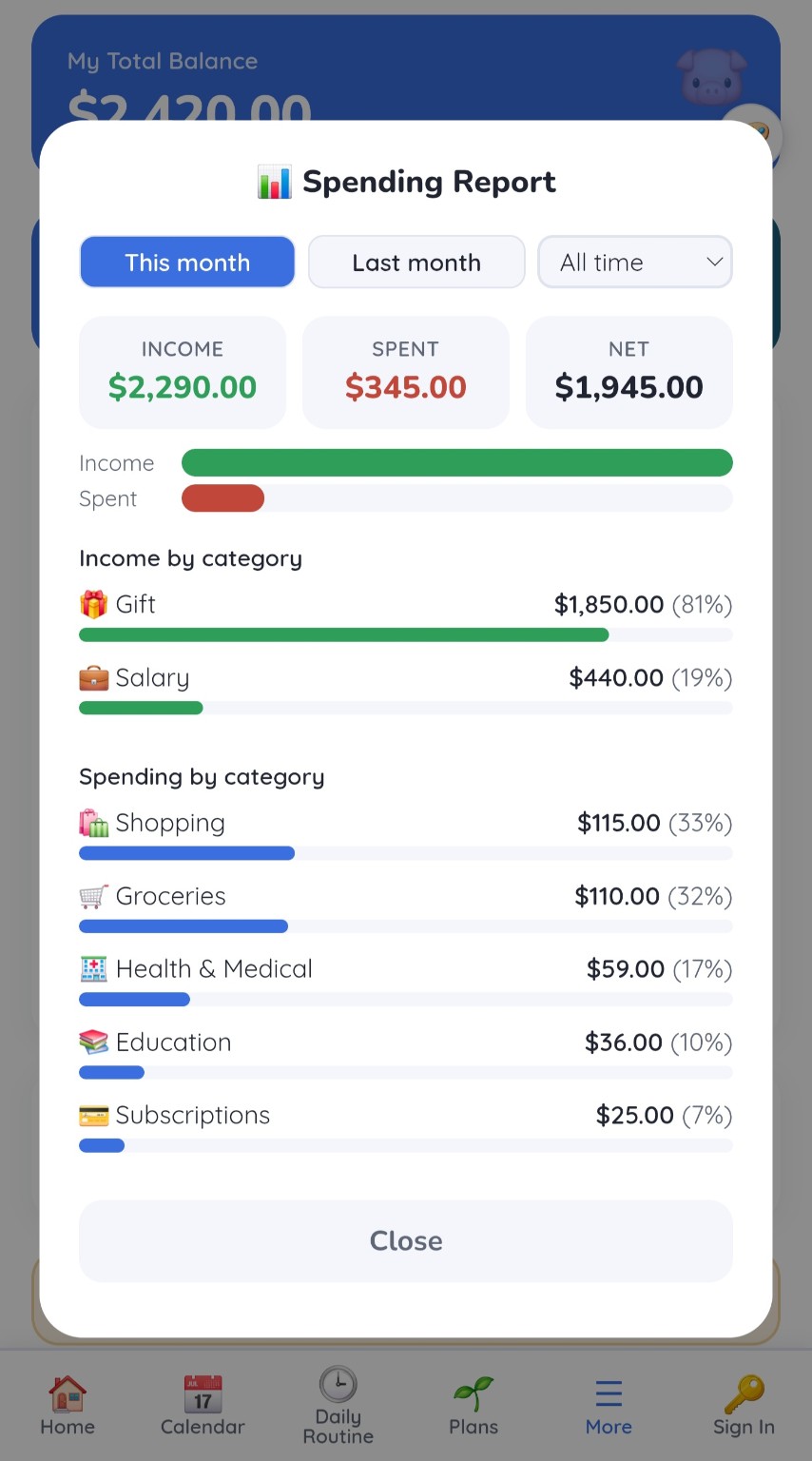
See money in, money out and what is left. Open the categories only when you want to know where it went.
Three numbers that answer "am I okay this month?"
See which bills and habits take the most.
Plan for something bigger and watch progress toward it.
Money ties into work and effort.
Money in Daily Tools is not a separate app. It connects to the rest of the day.
Work and paychecks
YTW Schedule estimates pay from worked shifts and shows the next paycheck.
Tokens as practice
Rewards tokens teach earning, saving and choosing when to spend.
Wishes
Things worth planning and saving for.
Supporter view
Invited family can follow progress without taking over every decision.
Private by design
Money never appears on the shared Picture Frame screen at home.
Money skills, connected to the whole day.
My Money, Spending Report and Value of Things are part of Daily Tools, together with routines, schedules, plans and rewards. Compare plans to see what fits.