
See the screens.
Then try it yourself.
See how routines, goals, money and support fit together, then explore sample data in the app. Screenshots illustrate the product; some layouts may differ from the current version.
Explore, choose, personalize.
- Explore sample data
Open Daily Tools and choose Try Demo from the welcome screen.
- Use your own account
Sign in with Google or email and password when you are ready to use your own information.
- Start small
Choose a few useful tools. Use Focus Views and visibility settings to simplify everyday navigation.
- Invite support when needed
Choose the appropriate plan and sharing settings for the people participating.
Follow a day through Daily Tools.
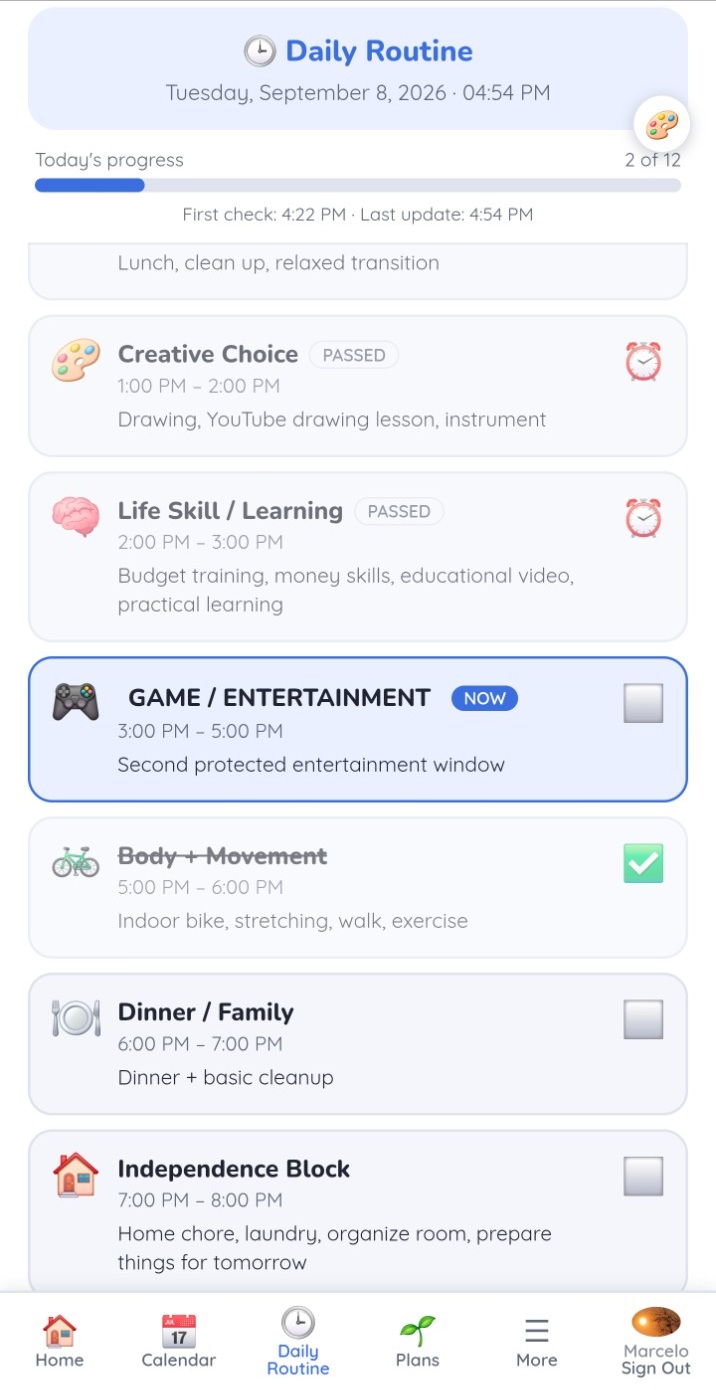
1. See what comes next
Daily Routine makes the day visible. Level Up Board adds small, repeatable steps you can check off.
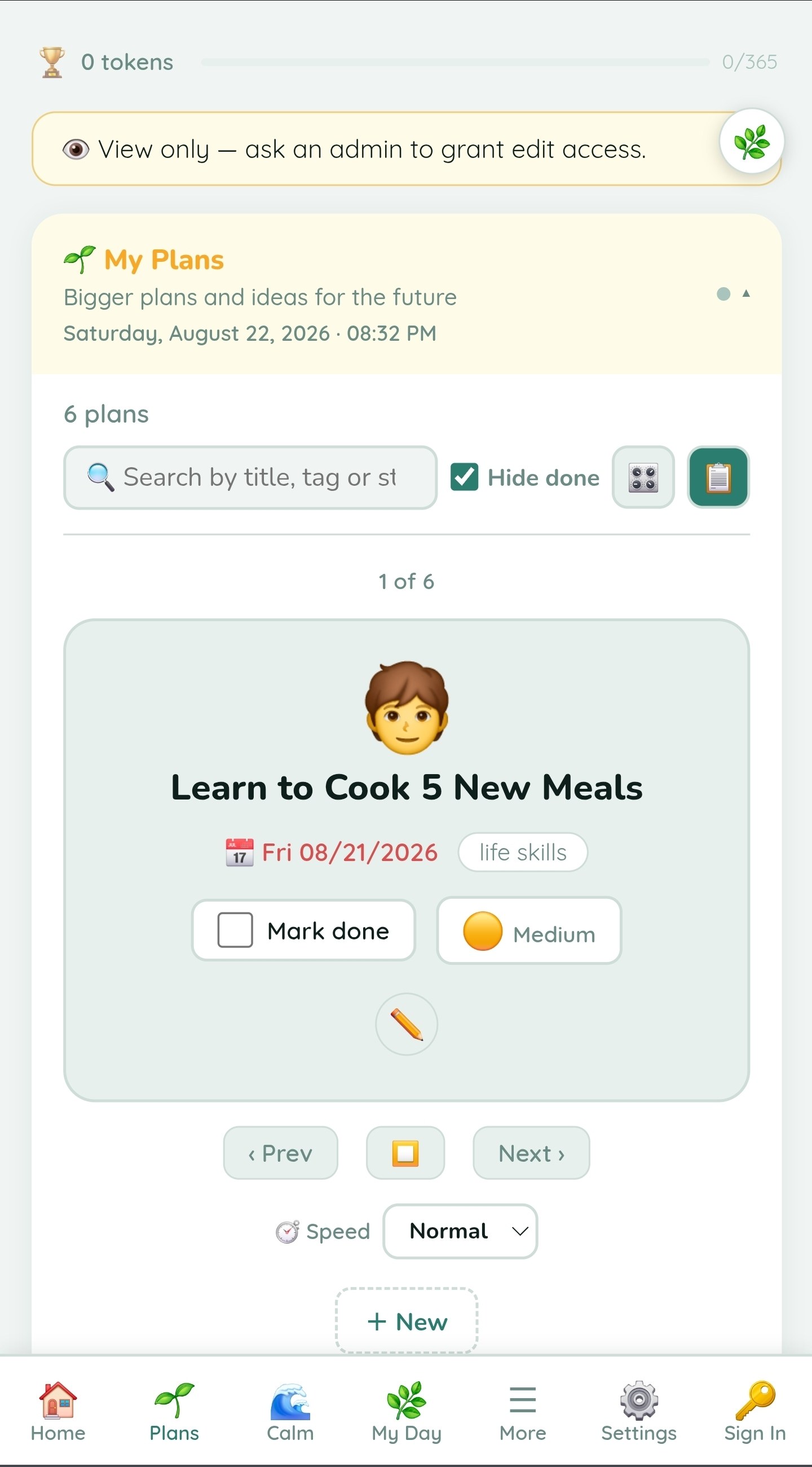
2. Keep a goal in view
Use visual cards or a compact list for your plans. Optional Speak title input can help enter a plan title in supported browsers.

3. Plan your time
Reuse a week, confirm worked shifts and review payroll estimates. Zoom the schedule and undo or redo moves and resizes.
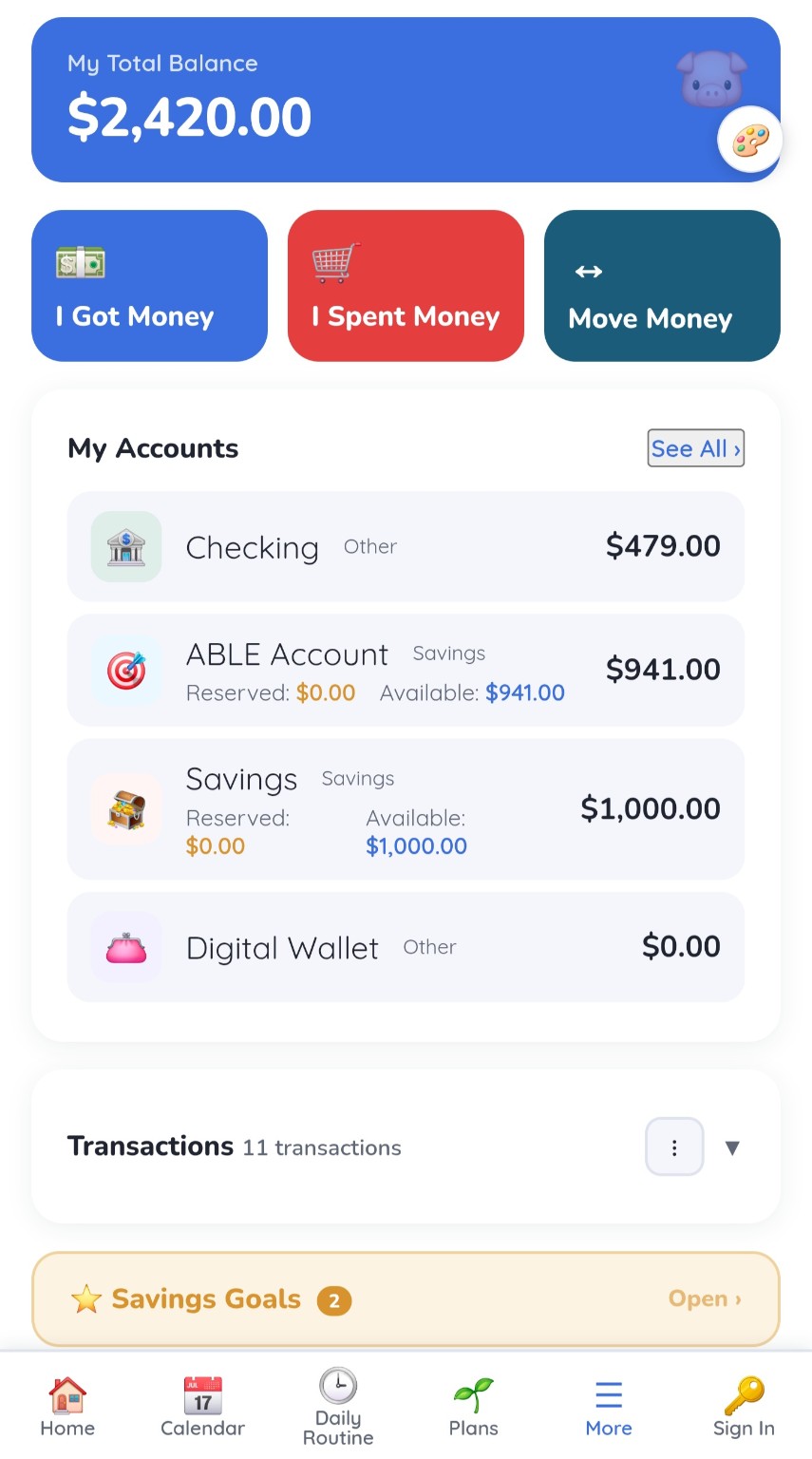
4. Make money understandable
Record money in and out, follow savings goals and compare costs visually with Value of Things.
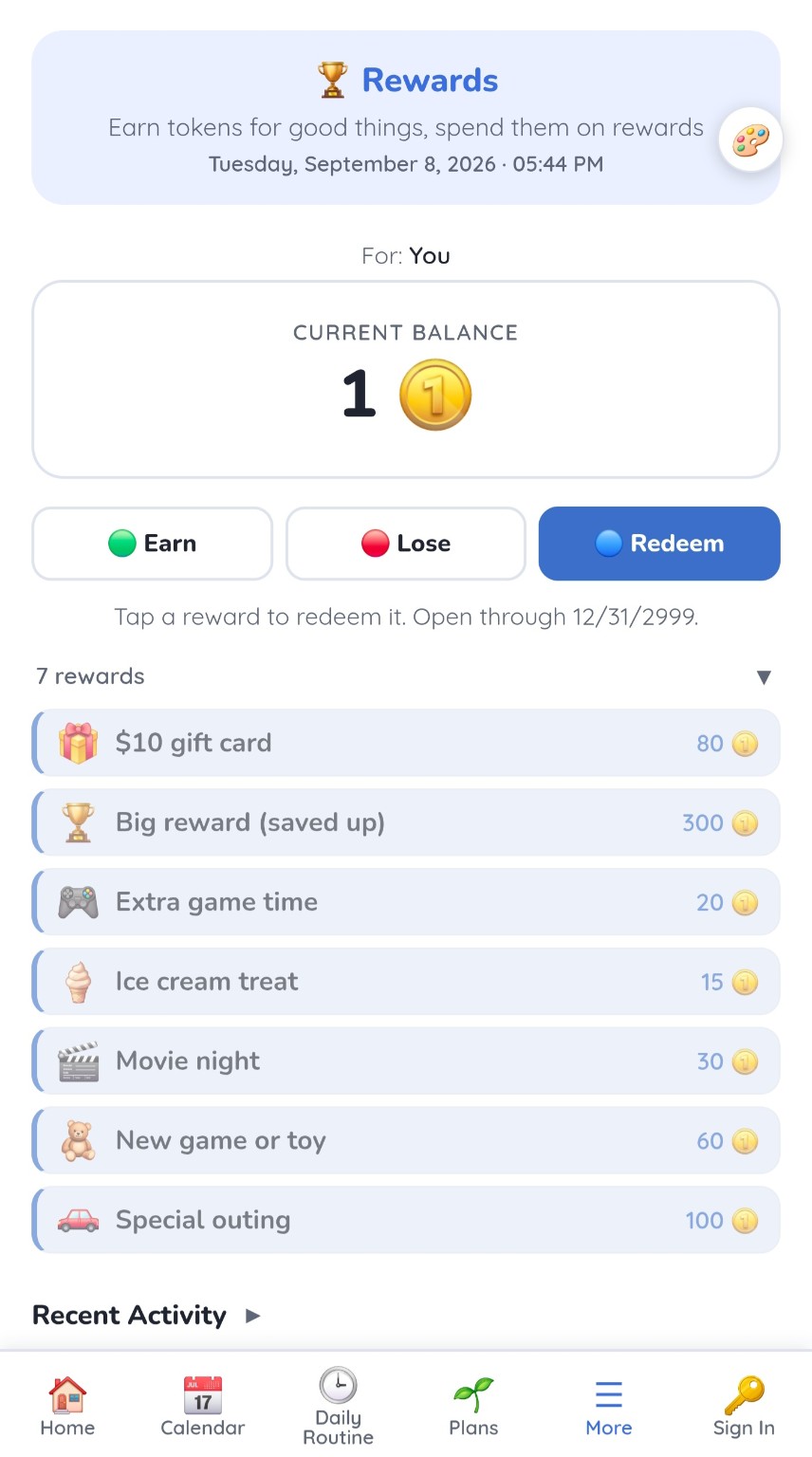
5. See effort become progress
The current Rewards experience organizes Goals, Tokens and Activity. Supporters configure rules in Setup; earn and save toward a chosen reward.
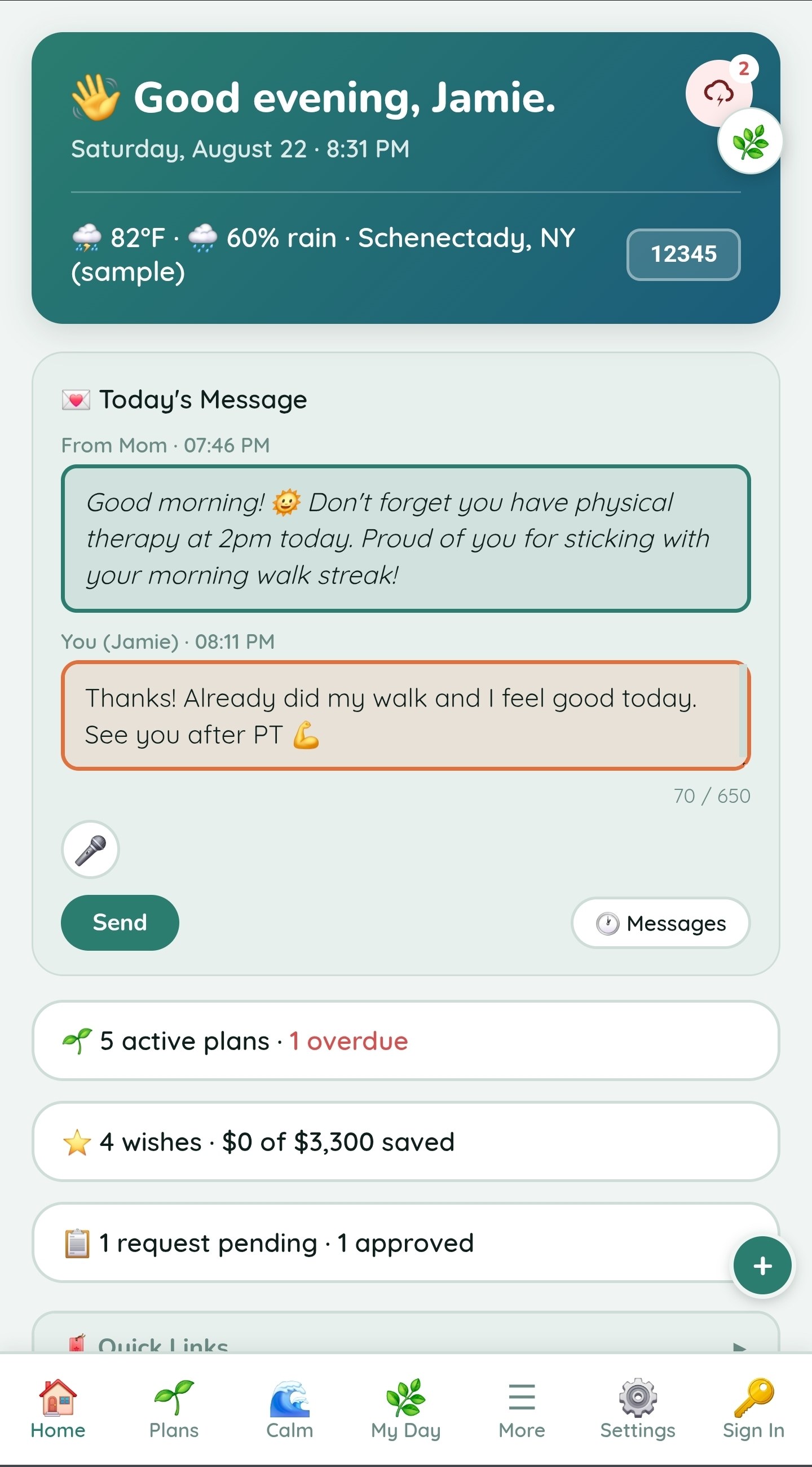
6. Stay connected
Share a message or request with authorized supporters. My Day adds daily check-ins and refill planning; a kiosk can show selected daily information on a spare screen.
Tap or use the keyboard to open a screenshot. These are existing product captures, not a guarantee of the current screen layout.
Try the real app. No sales pitch required.
Explore the tools, switch between features and decide whether the connected experience is valuable enough to subscribe.